Groundtruth Capture: save what you read, straight from Chrome
Our Chrome extension is live. Save web pages, Google Docs, PDFs, GitHub, YouTube transcripts and Gmail threads into Groundtruth from a side panel, and keep them in sync with their source. Get it right from your dashboard today; the Chrome Web Store listing is on its way.
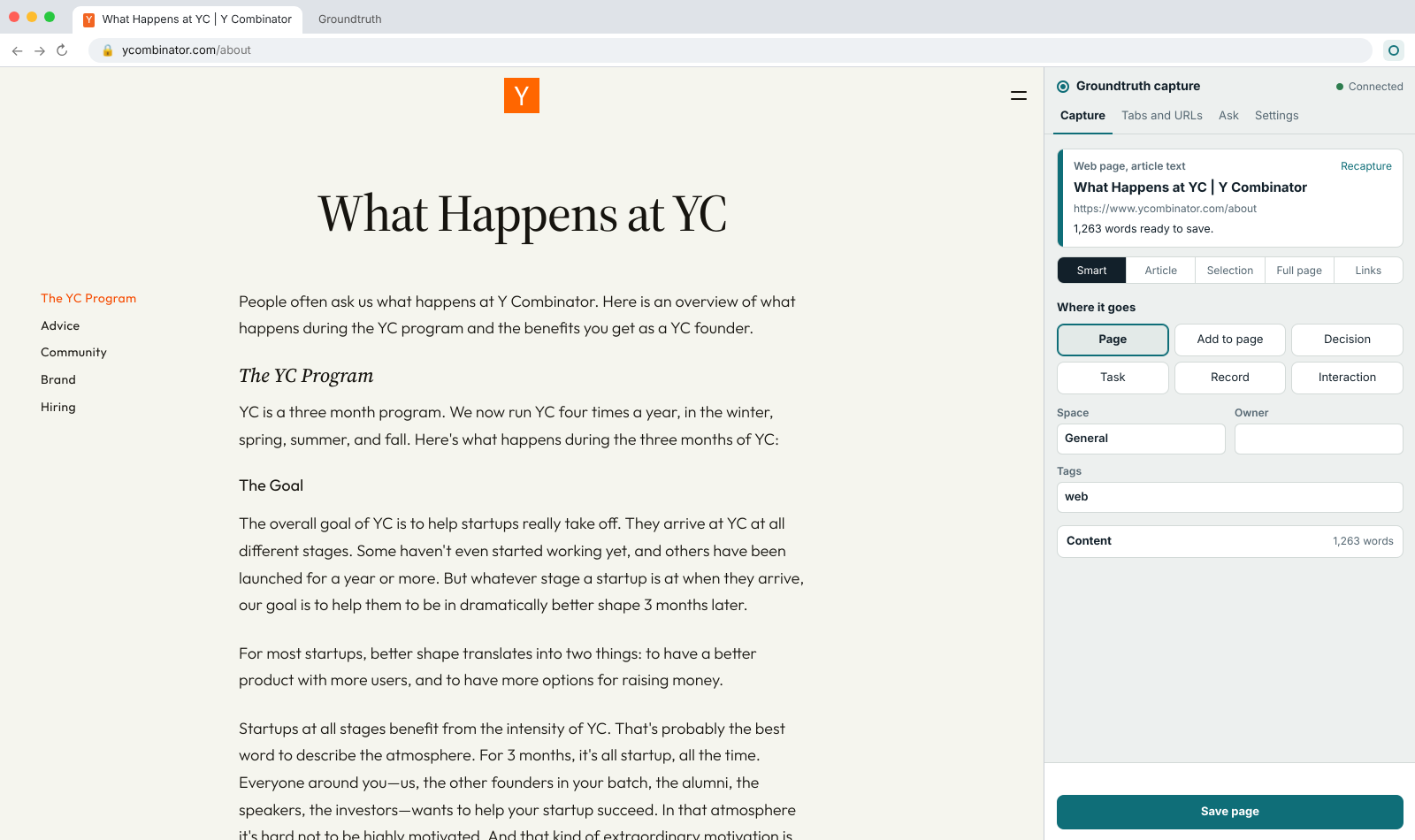
Most of what your company knows doesn't start in a wiki. It starts in a Google Doc, a supplier's PDF, a GitHub README, an email thread or a web page someone read last week. Getting it into Groundtruth meant copy, paste, tidy up, and hoping someone remembers to update it when the original changes.
Today we're launching Groundtruth Capture, our extension for Chrome. Open it next to whatever you're reading, click save, and it's in your workspace: cited, searchable, and ready for your team and your AI assistant to ask questions of.
What it saves
Almost anything you read in Chrome:
- Web pages: the article, without the menus and ads. Or just your selection.
- Google Docs, Sheets and Slides, read through your own Google sign-in. Sheets can become one record per row.
- GitHub: files, READMEs, whole folders of markdown, issues and pull requests with their discussion.
- PDFs, YouTube transcripts with timestamps, Gmail threads and LinkedIn profiles.
- Many open tabs at once, as separate pages or one research bundle.
It doesn't have to be a page, either. Save something as a decision, a task on your board, a record or a customer interaction. It even spots action items and decisions in what you're reading and offers to create them in one click.
Saved once, kept up to date
Every saved page remembers where it came from. Capture the same source again and it offers to refresh the page instead of making a duplicate, and your own notes on the page survive the refresh. The toolbar icon shows when a source you saved has changed, and with live sync on, Groundtruth updates the page on its own. The policy in Google Docs and the page in Groundtruth stop drifting apart.
Yours, not the AI's
What you save with the extension is your work. It shows up under your name, marked via Groundtruth Capture, not as an AI edit waiting for review. It follows your role in the workspace, and it can't delete or verify pages or change settings.
Work in more than one workspace? One sign-in can cover several, or all of them. A picker at the top of the panel decides where a capture goes, and each saved page stays in sync with its own workspace.
Private by default
- It reads a page only when you save it, or when it checks a source you chose to keep in sync.
- You sign in with your normal Groundtruth login. The session works only with Groundtruth.
- Your keys stay in Chrome on your device. What you capture goes to Groundtruth and nowhere else, unless you switch on the optional smart fill, which uses your own Anthropic key.
How to get it
Right from your dashboard. Open Groundtruth in Chrome and your dashboard shows a banner: click Get the extension. It takes you to Settings → Browser extension, with the download, the steps to roll it out to your team, and a check that shows whether this browser has it. Once it's installed, the banner goes away.
For your whole company, today. If your company manages Chrome through Google Admin, Microsoft Intune, Group Policy or a macOS profile, your admin can install it for everyone in a few minutes. It then updates itself: when we ship a new version, every browser has it within hours. The steps are on groundtruthhq.tech/capture.
In the Chrome Web Store, soon. We're preparing the listing now, so anyone can install it in one click and get updates automatically. We'll announce it here when it's live.
Want to try it before then? Download it from your dashboard or the Capture page and load it in Chrome yourself. That copy doesn't update on its own, so grab the new version when we announce one.
No workspace yet? Sign up free, install Capture, and save the first page your team keeps asking about.