Your Plaud recordings, filed where your team can find them
New in the Agent Store: connect Plaud and save what your recorder heard as Groundtruth pages, one by one, by tagging a recording #team, or automatically. Plaud's summaries become knowledge your team and your AI assistants can search and cite.
A site visit, a supplier call, a conversation in the corridor that settled something. If you carry a Plaud recorder, those moments are already captured and summarised. Then they sit in one person's Plaud app, where the rest of the team can't find them.
Today they can become part of your ground truth. The new Plaud integration in the Agent Store files your recordings as Groundtruth pages, where your team can search them and Claude, ChatGPT or Gemini can cite them. It works the same way as our Wispr Flow integration.
How it works
- A maker or owner installs Plaud from the Agent Store, under Integrations.
- Each person clicks Connect Plaud and signs in at Plaud with their own account. Groundtruth only gets read access.
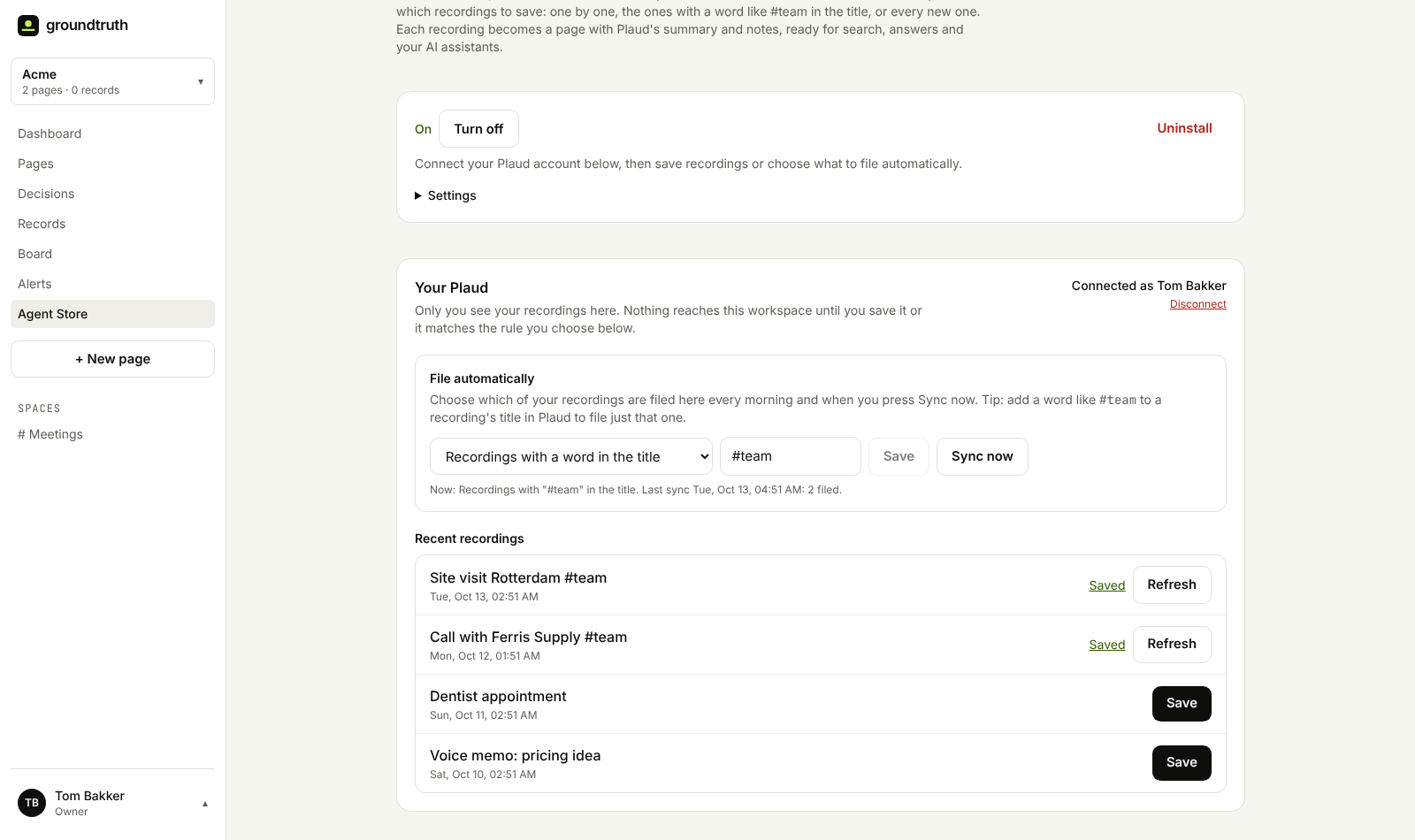
- Your recent recordings appear on the integration page.
- Click Save to file a recording. Or let Groundtruth file them for you, every morning or straight away when you press Sync now.
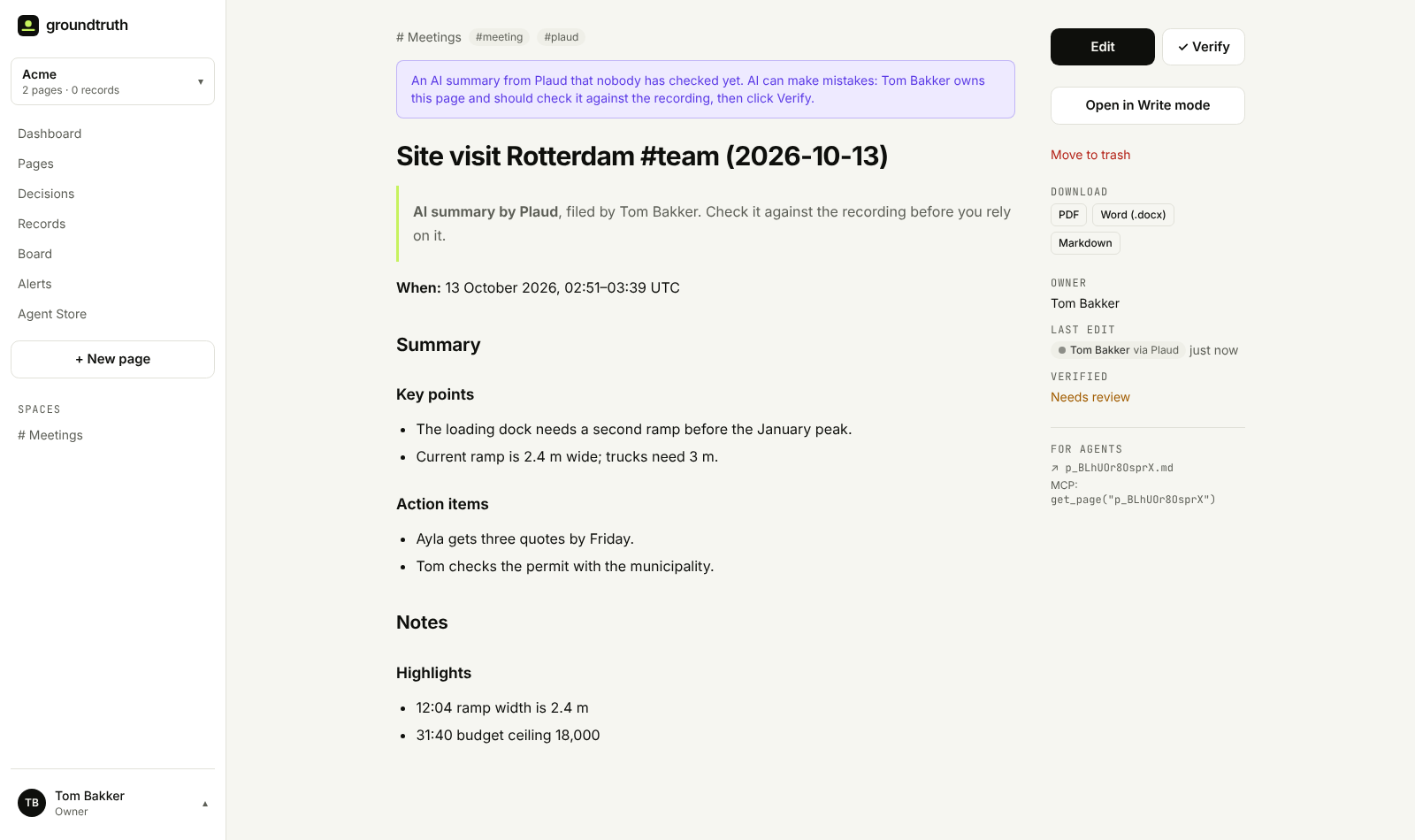
Each saved recording becomes a page in the Meetings space: Plaud's summary with its key points and action items, your highlights and any saved Ask Plaud answers under Notes, and when it was recorded.
Tag it, and it's filed
A recorder goes everywhere with you, so most of what it captures isn't company knowledge. Plaud doesn't have folders we can use, so we made filing as simple as renaming:
- Add a word to the title. Rename a recording in the Plaud app to include a word like
#team, and pick "Recordings with a word in the title" in Groundtruth. Only those are filed. - Or file every new recording, if you only record work. Groundtruth asks you to confirm, and it only files recordings made after you turn it on, never your history.
- Or save them one by one. Nothing else happens until you click Save.
Your recordings stay yours
- Only you see your recording list. Your colleagues don't, and neither do owners.
- Nothing is filed until you choose. The dentist appointment in the screenshot above stays in Plaud.
- Transcripts stay out. Pages get Plaud's summary and notes. A workspace can turn transcripts on, but they hold everything everyone said, so that's a team decision.
- No audio leaves Plaud. Groundtruth never downloads your recordings.
- Disconnect any time on the integration page or under Profile → Connected apps. We delete our access to your Plaud account; pages you saved stay until you delete them.
AI summaries, labelled as such
Plaud's summaries are written by its AI, and AI can get things wrong. Every page filed from Plaud says so at the top, shows who filed it, and is marked Needs review until someone checks it against the recording and clicks Verify.
Saving a recording again refreshes its page instead of making a copy. A sync never overwrites a page someone has edited, and never brings back a page you moved to the trash.
Get started
- Record with your Plaud recorder or the Plaud app, and let Plaud write its summary.
- In Groundtruth, open the Agent Store, install Plaud and click Connect Plaud.
- Sign in with the Plaud account your recorder syncs to.
- Save your first recording, or tag one
#teamand choose that word under File automatically.
Groundtruth connects through Plaud's own connection for AI tools, the same one Claude and ChatGPT use. Plaud is made by Plaud; we built this integration on that connection.
Using Wispr Flow for meetings and Plaud for everything else? Connect both. Each files into the same Meetings space, and your team gets one place to look.
No workspace yet? Sign up free, install Plaud from the Agent Store, and turn last week's recordings into pages your team can find.