Your Wispr Flow meetings, filed where your team can find them
New in the Agent Store: connect Wispr Flow Notetaker and save meetings as Groundtruth pages, one by one or a whole folder at a time. Summaries, notes and attendees become knowledge your team and your AI assistants can search and cite.
Decisions get made in meetings. Then they live in someone's notes, and three weeks later nobody can find out why the standup moved or who owns hiring.
If your team records meetings with Wispr Flow and its Notetaker, those notes are already good. Today they can also become part of your ground truth: the new Wispr Flow integration in the Agent Store files them as Groundtruth pages, where your team can search them and Claude, ChatGPT or Gemini can cite them.
How it works
- A maker or owner installs Wispr Flow from the Agent Store, under Integrations.
- Each person clicks Connect Wispr Flow and signs in at Wispr with their own account. Groundtruth only gets read access.
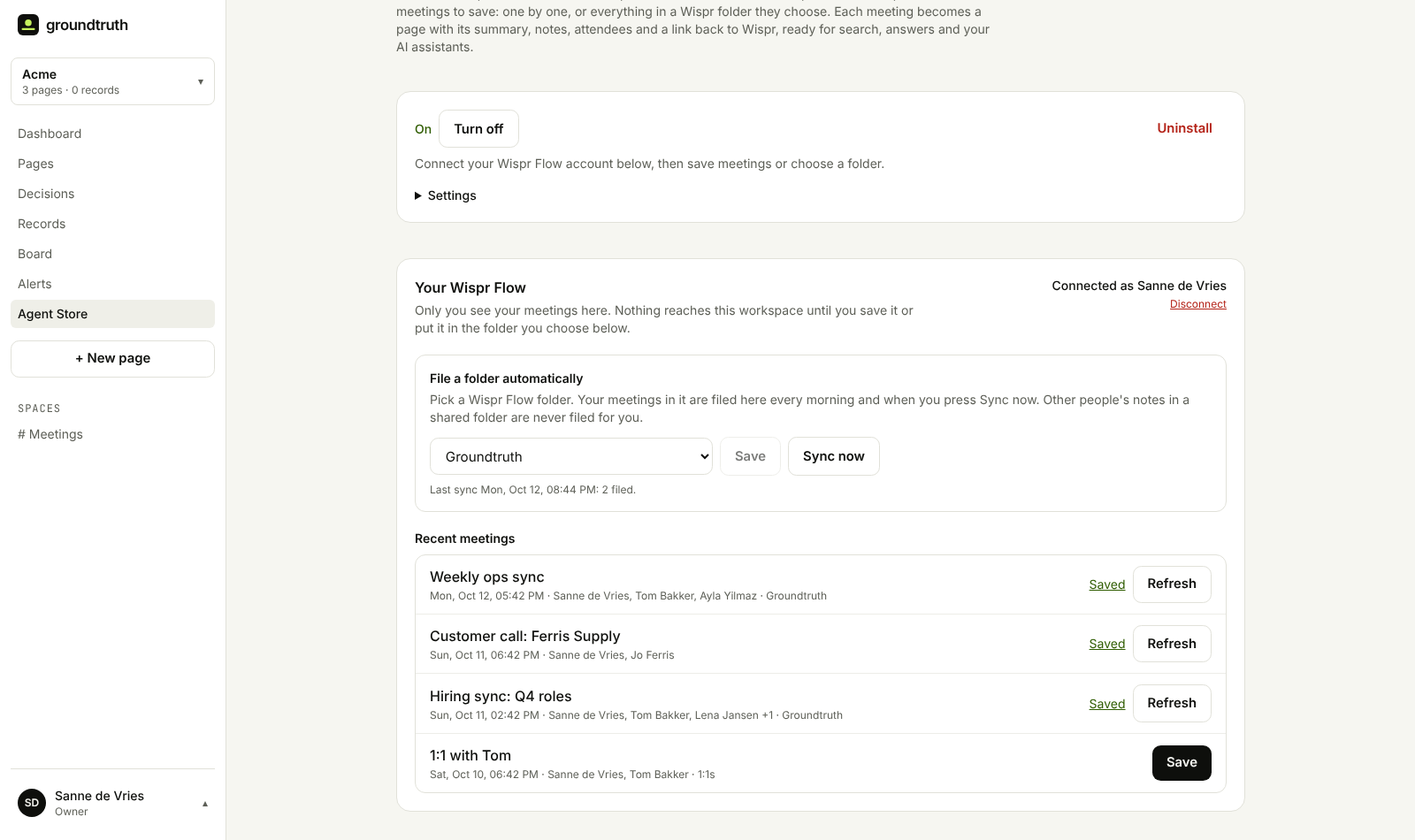
- Your recent meetings appear on the integration page, with who was there and which Wispr folder they're in.
- Click Save to file a meeting. Or pick one of your Wispr folders, and everything you put in it is filed every morning, or straight away when you press Sync now.
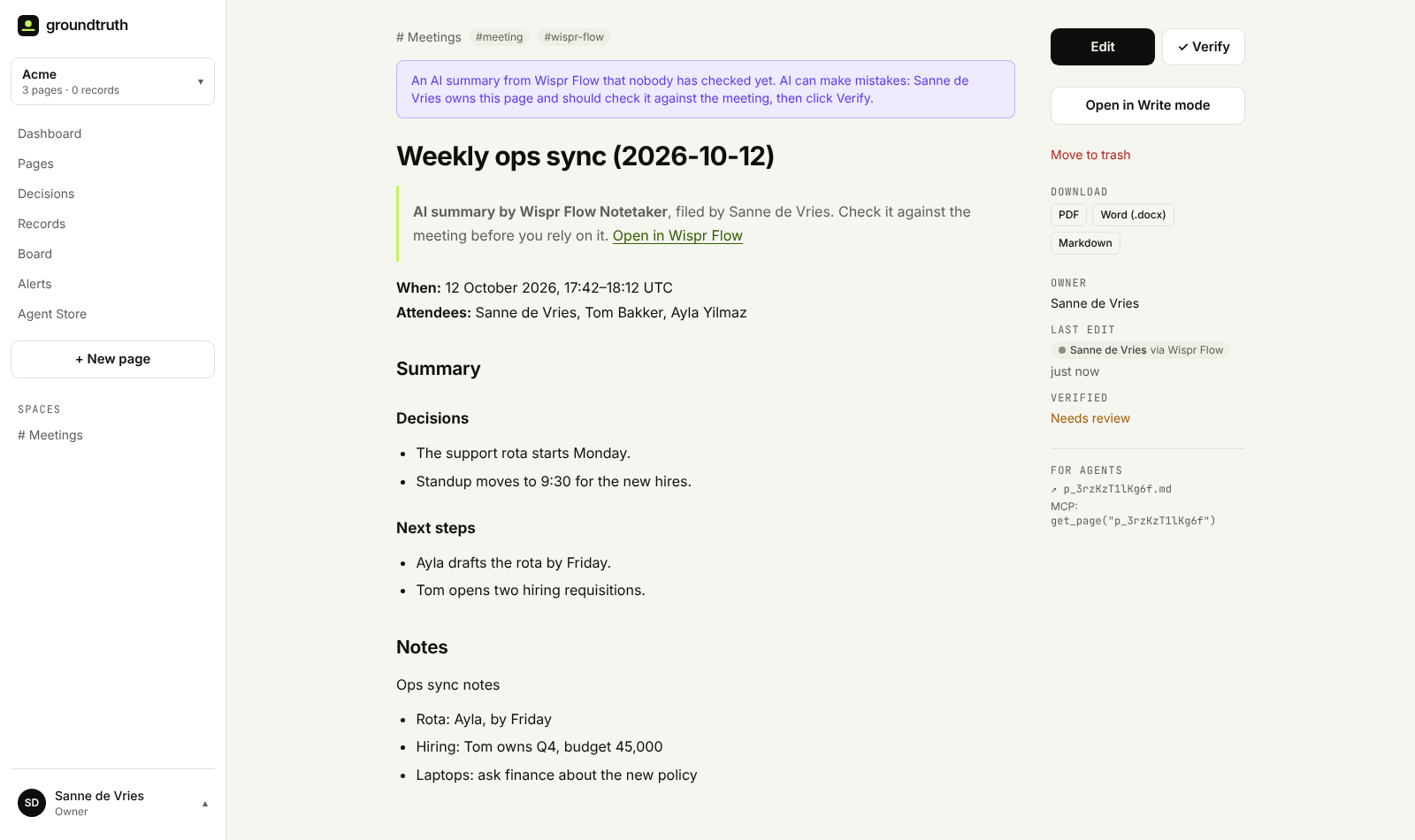
Each saved meeting becomes a page in the Meetings space: Wispr's summary with its decisions and next steps, your notes, the date and attendees, and a link back to the meeting in Wispr Flow.
Your meetings stay yours
Meetings are personal. A one-on-one, an interview or a difficult conversation doesn't belong in a company wiki just because it was recorded. So the integration is careful by default:
- Only you see your meeting list. Your colleagues don't, and neither do owners.
- Nothing is filed until you choose. Save a meeting, or put it in the folder you picked. Everything else stays in Wispr Flow.
- Shared folders only file your own notes. Notes a colleague put in a shared Wispr folder are theirs to file, not yours.
- Transcripts stay out. Pages get the summary, notes and attendees. A workspace can turn transcripts on, but they hold everything everyone said, so that's a team decision.
- Disconnect any time on the integration page or under Profile → Connected apps. We delete our access to your Wispr account; pages you saved stay until you delete them.
AI summaries, labelled as such
Wispr Flow's summaries are written by its AI, and AI can get things wrong. Every page filed from Wispr says so at the top, shows who filed it, and is marked Needs review until someone checks it against the meeting and clicks Verify. Until then your team, and your AI assistants, can see that it hasn't been checked.
Saving a meeting again refreshes its page instead of making a copy. A sync never overwrites a page someone has edited, and never brings back a page you moved to the trash.
Get started
- Record a meeting with Wispr Flow Notetaker (Mac and Windows; Notetaker is in beta).
- In Groundtruth, open the Agent Store, install Wispr Flow and click Connect Wispr Flow.
- Sign in with the Wispr account you record with. Work and personal accounts hold different meetings, and signing in with Google, Apple, Microsoft or SSO works best.
- Save your first meeting, or pick a folder.
Groundtruth connects through Wispr Flow's own connection for AI tools, so Notetaker and MCP access need to be on in your Wispr account. In a company account, your Wispr admin decides that. Wispr Flow is made by Wispr; we built this integration on its public connection.
No workspace yet? Sign up free, install Wispr Flow from the Agent Store, and turn last week's meetings into pages your team can find.