My knowledge: a private knowledge base inside your company's
Every member of a Groundtruth workspace now has private pages: notes, 1:1s, your experience, your cases. Ask uses them, for you only. Share a page with the colleagues you pick, or with everyone, when others should find it.
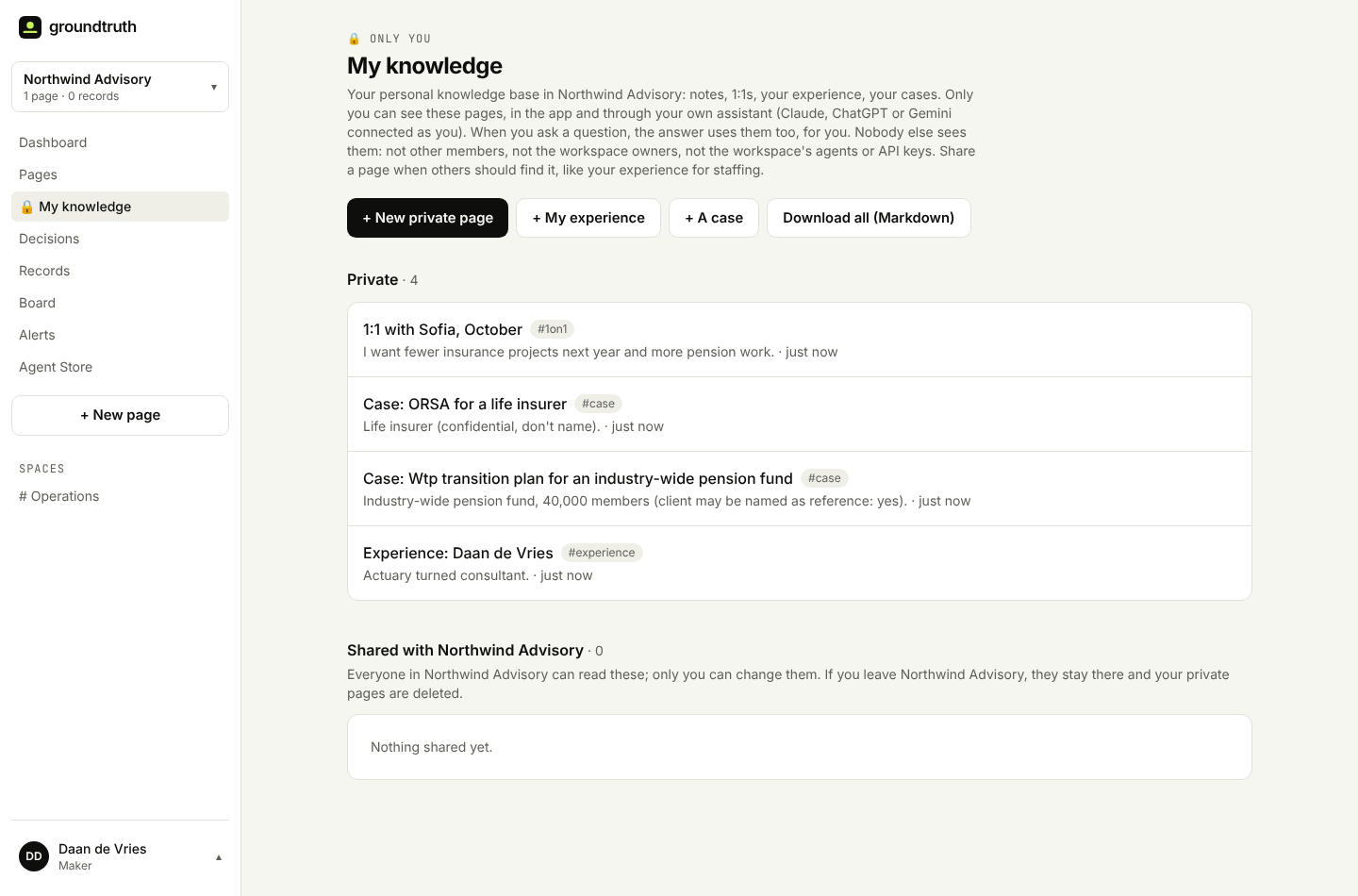
A company knowledge base answers questions about the company. But half of what people know at work isn't the company's business. It's yours: what you agreed in your last 1:1, the notes you keep for your own clients, the projects you did before, the things you want to remember but not publish.
Until now, Groundtruth had two options for that knowledge: put it in the shared workspace, where everyone and every assistant can read it, or keep it somewhere else, where Ask can't help you with it. Neither is right. So today every member gets My knowledge: a personal knowledge base inside the company's.
Private pages, and answers that use them, for you
My knowledge works like the rest of Groundtruth: pages in markdown, links with [[Page title]], tags. The difference is who can read them: you. In the app, and through your own assistant when you connected Claude, ChatGPT or Gemini as yourself.
When you ask a question, the answer uses your private pages too, and marks them, so you always know where it came from:
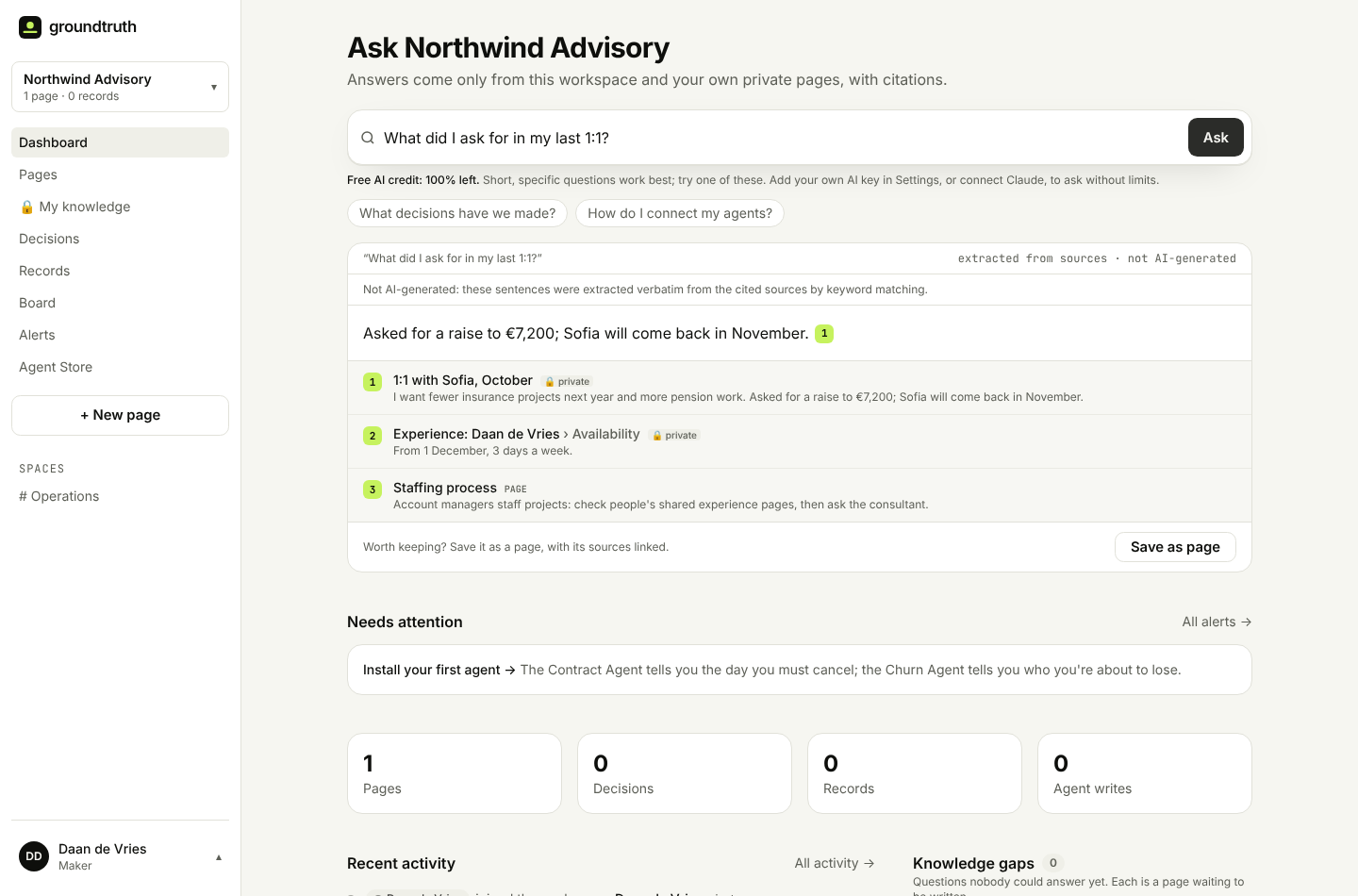
"What did I agree in my last 1:1?" and "which clients did I tell about the price change?" now just work. And when you ask your own assistant, it can read and write your private pages for you: "save this as a private note" does exactly that.
Nobody else, really nobody
Private is a promise, so we built it to hold without anyone having to be careful:
- Stored apart. Private pages don't live in the workspace. They're stored separately, per person, so everything that reads the workspace simply can't reach them: your colleagues, the workspace owners, the workspace's agents, its API keys, exports and the index assistants read.
- Only your own sign-in. Your assistant sees your private pages because you connected it as yourself. A key someone made for an integration never does.
- Assistants can't share. Your assistant can write private notes, but only you can share a page, in the app. A document with hidden instructions can't talk an AI into publishing your notes.
- Questions about yourself stay yours. When Ask can't answer a question, it normally goes on the team's list of knowledge gaps. Questions about yourself ("my contract", "mijn doelen") never do. An answer that cites a private page is saved privately too.
- Leaving is clean. If you leave a workspace, your private pages there are deleted. You can download all of them as Markdown first, at any time.
Share with the colleagues you pick
Some knowledge is for a few people, not for everyone. Open any private page, click Share with colleagues, and tick who may read it:
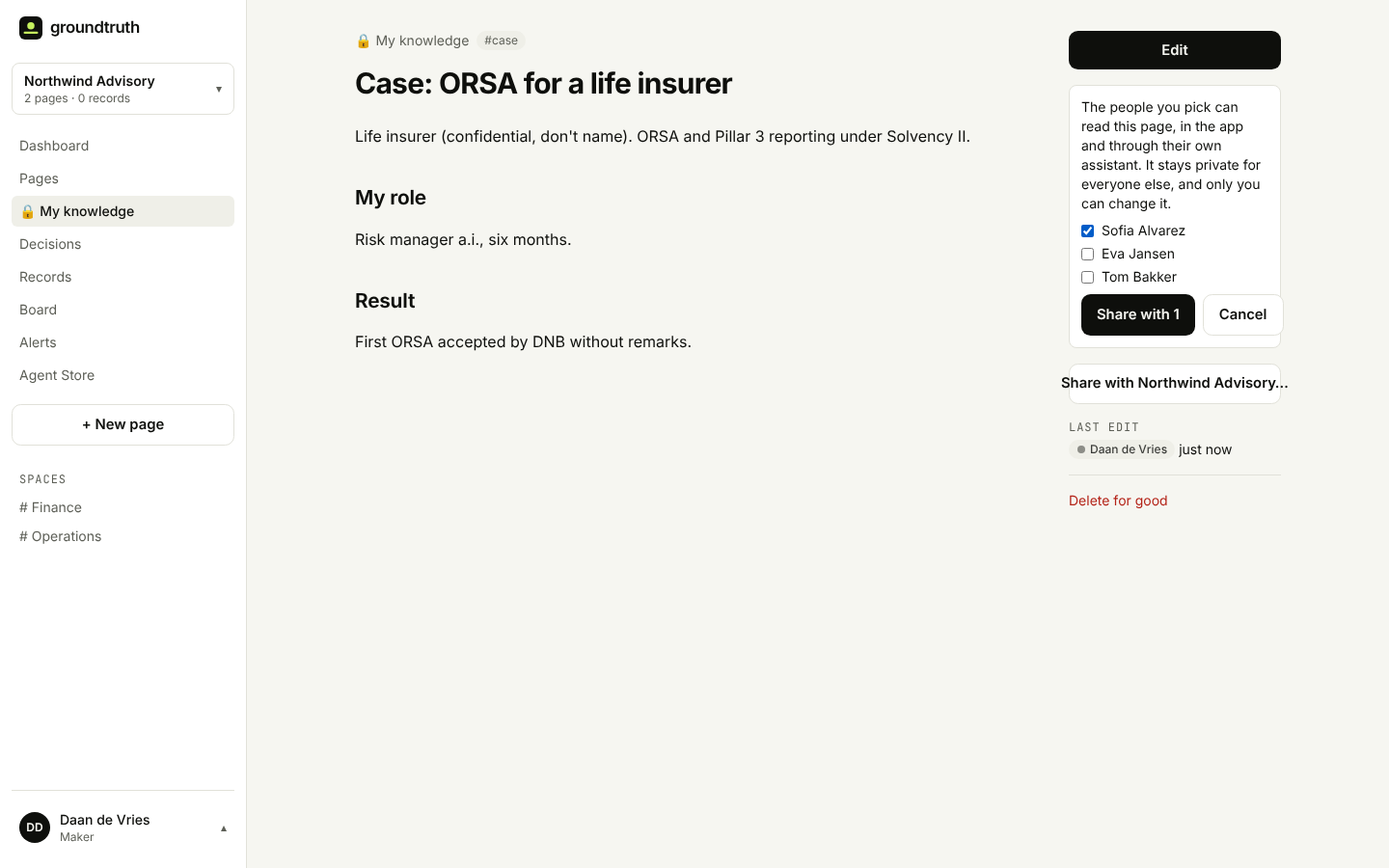
They find it under Shared with me, and their Ask and their assistant use it, marked with whose page it is:
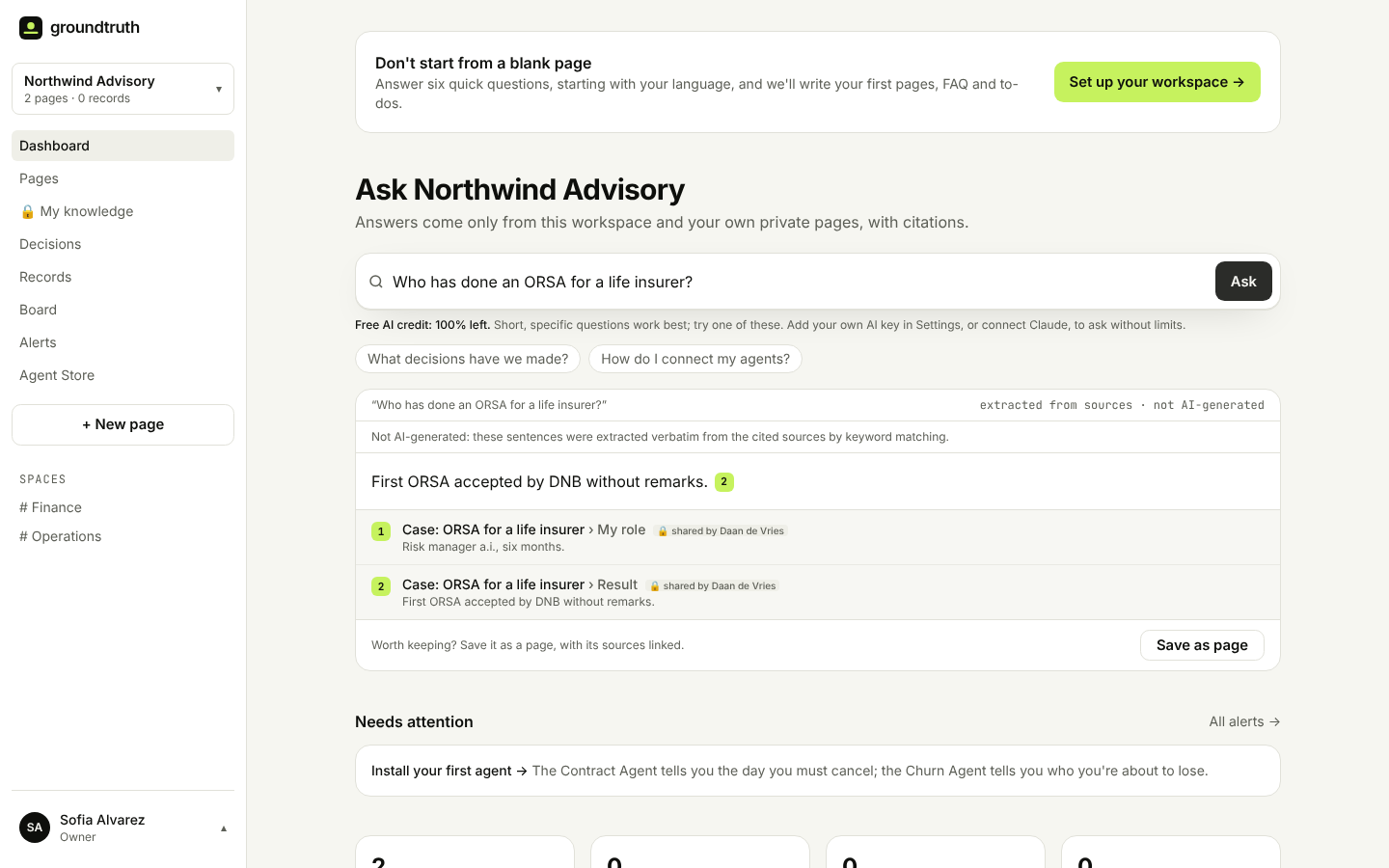
It stays private for everyone else. They can read it, not change it, and you can change who sees it, or take it back, at any time.
Or share it with everyone
When everyone should be able to find something, share it with the whole workspace. It moves into the workspace (into People, for experience and cases), everyone can read it and Ask uses it. It's still yours: only you can change it, and you can make it private again.
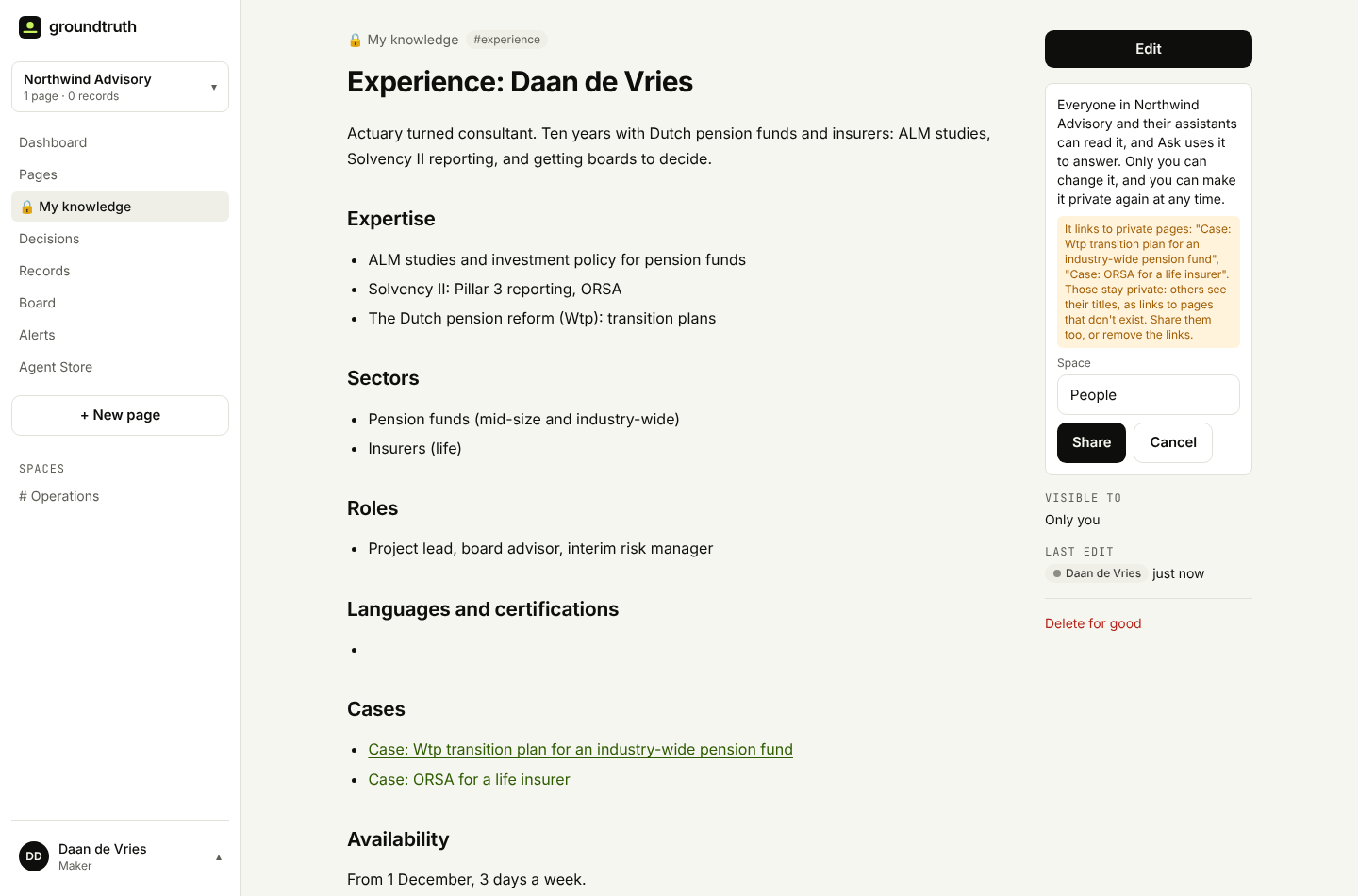
If the page links to private pages, Groundtruth tells you before you share, so you decide whether to share those too.
An example: who's the right consultant?
This is the case that started it. At a consulting firm, account managers staff projects. The knowledge they need (who has done what, for which kind of client, and who's available) sits in consultants' heads and CVs, and the consultants rightly don't want all their notes in the company wiki.
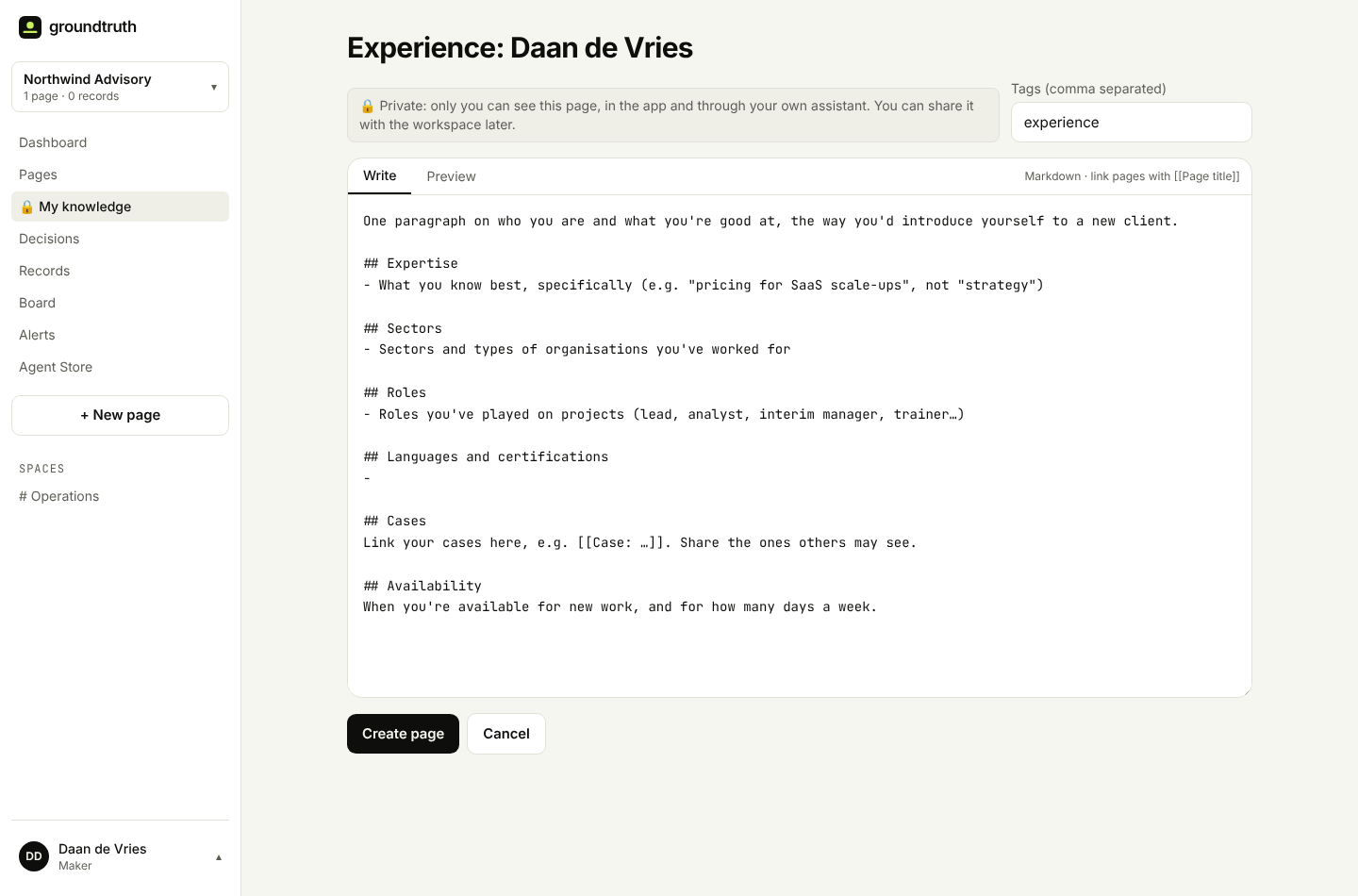
With My knowledge, each consultant keeps an experience page (there's a template: expertise, sectors, roles, cases, availability) and a page per case. They share the experience page and the cases that may be named with everyone, or only with the account managers they work with, and keep the rest private. Then an account manager just asks:
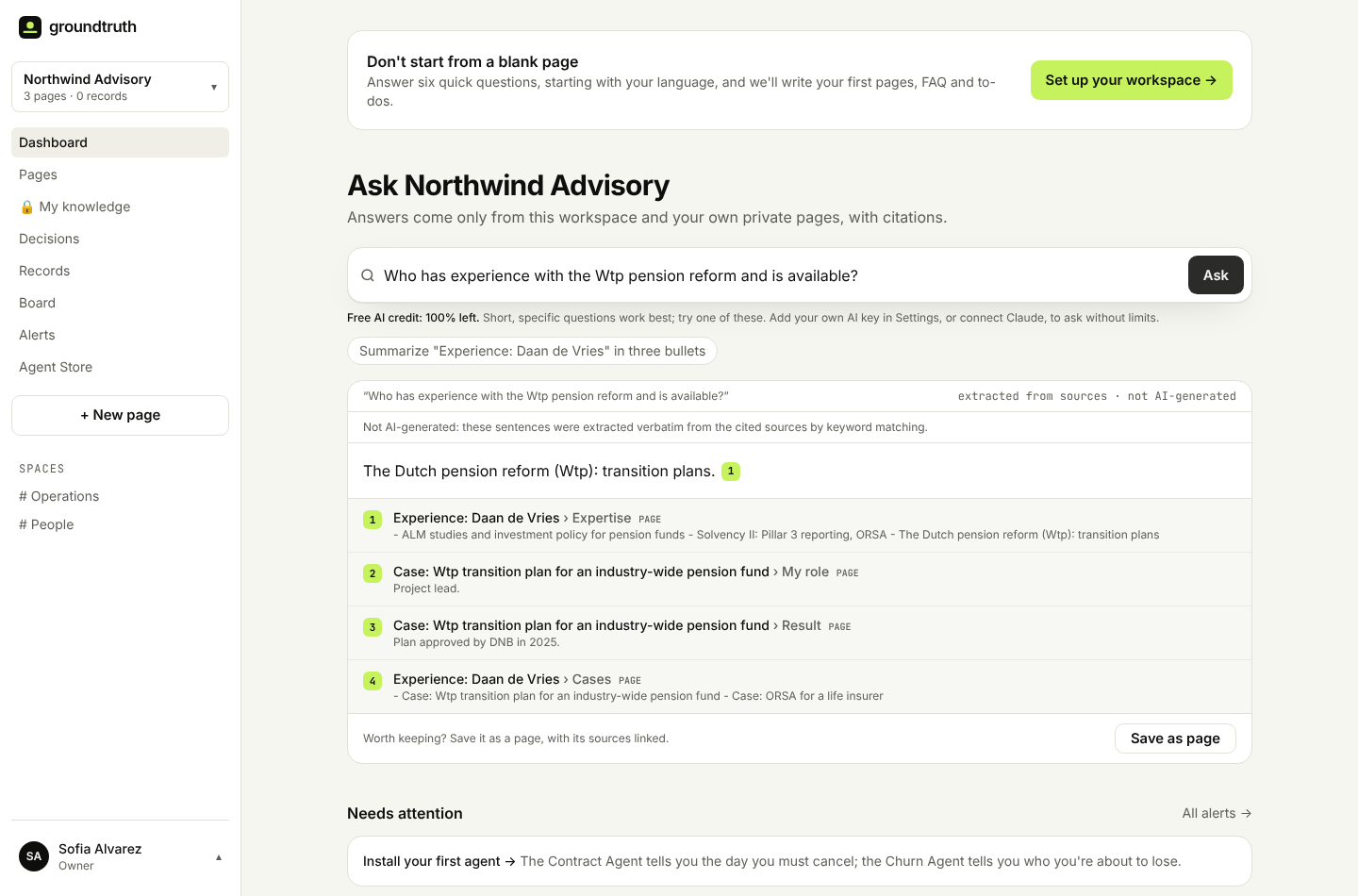
The answer comes from what consultants chose to share, with citations, and nothing they didn't.
Templates, in English and Dutch
Start from My experience or A case in My knowledge. Both come in English and Dutch, following your workspace's language:
For developers
Your own assistant's sign-in gets your private pages in ask, search, get_page and get_index, marked "private": true, plus colleagues' pages shared with you, read-only, with shared_by. create_page takes private: true, and list_my_pages lists what's yours, what's shared with you and what you shared. Sharing is never a tool: it's a person's decision, in the app. The details are in the docs.
Try it
My knowledge is in every workspace, in the sidebar. Start with your experience page, or the notes from your last 1:1, and ask a question about yourself. Tell us what you'd keep there at hello@groundtruthhq.tech.